
Creating a home office that is both cozy and productive can transform your work-from-home experience. With the right setup, you can focus better, feel more comfortable throughout the day, and enjoy your work environment. Whether you are working full-time from home or need a dedicated spot for occasional tasks, these tips will help you design a space that supports your needs.
Choose the Right Location
Selecting the ideal spot for your home office is the first step.
– Quiet and Low-Traffic Area: Pick a place away from distractions such as the television or busy household areas.
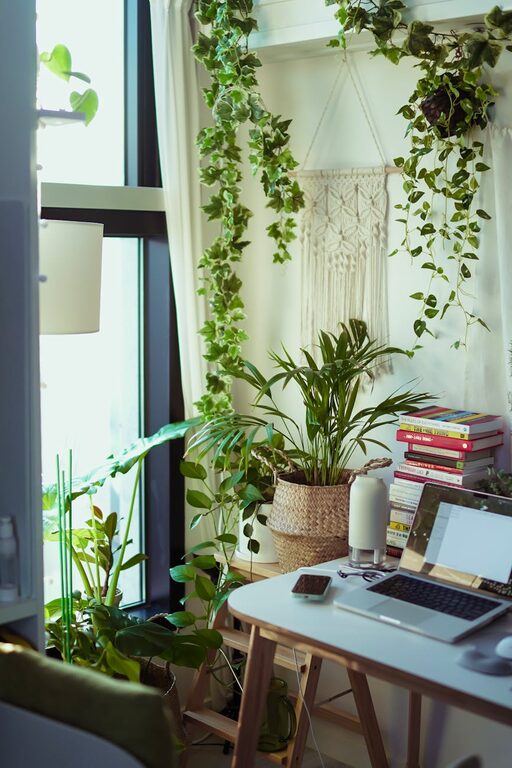
– Natural Light: Position your desk near a window if possible to benefit from daylight, which can improve mood and reduce eye strain.
– Adequate Space: Ensure there is enough room for your desk, chair, and any equipment you need without feeling cramped.
Invest in Comfortable Furniture
Ergonomics matter when you spend long hours working.
– Ergonomic Chair: A supportive chair helps prevent back pain and fatigue.
– Adjustable Desk: Consider a height-adjustable desk to switch between sitting and standing.
– Proper Desk Size: Your desk should fit your computer and work materials comfortably.
Organize Your Workspace
Clutter can distract and reduce productivity. Here are some organizing tips:
– Use Storage Solutions: Shelves, drawers, and desk organizers keep items neat and accessible.
– Cable Management: Use clips or cable boxes to avoid tangled wires.
– DIY Organizers: Mason jars or small trays can help organize pens, paperclips, and other small items.
Add Personal and Cozy Touches
A cozy atmosphere makes you feel welcome and motivated.
– Soft Textiles: Add a cushion or throw blanket to make your chair more comfortable.
– Plants: Indoor plants brighten up the room and can improve air quality.
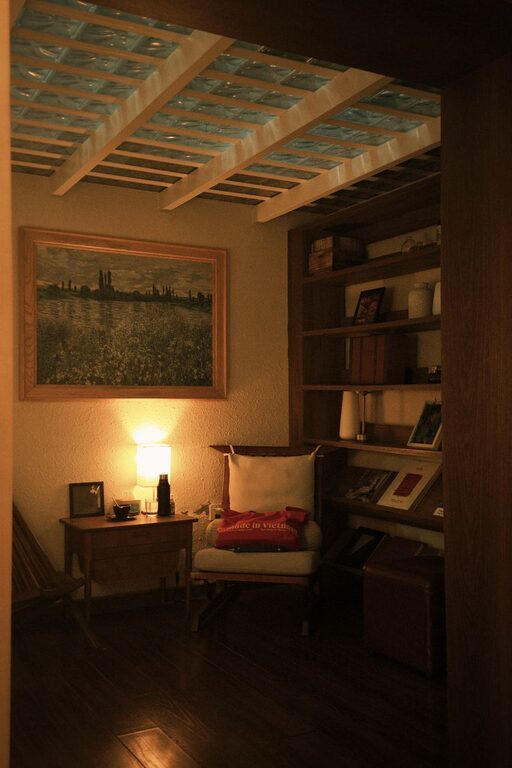
– Artwork and Photos: Hang pictures or art that inspire you and bring positivity.
– Warm Lighting: Use desk lamps or string lights with soft bulbs instead of harsh overhead lights.
Optimize Your Technology Setup
Technology should enhance, not hinder, your work.
– Reliable Internet: Ensure your internet connection is strong and stable.
– Monitor Placement: Position screens at eye level to reduce neck strain.
– Keyboard and Mouse: Use ergonomic accessories for comfort.
Establish a Routine and Boundaries
A well-designed office helps, but maintaining habits matters too.
– Dedicated Work Hours: Set specific start and end times to separate work from personal life.
– Breaks and Movement: Schedule short breaks and stretch regularly to stay refreshed.
– Limit Distractions: Close unnecessary tabs and mute your phone during focused work periods.
Maintain Good Air Quality and Temperature
Comfort also depends on the environment around you.
– Ventilation: Keep the room aired out to avoid stuffiness.
– Temperature Control: Use fans, heaters, or window coverings to maintain a comfortable temperature.
Personalize According to Your Work Style
Everyone works differently, so customize your office to fit your habits.
– Inspiration Board: Use a corkboard or whiteboard to jot down ideas or deadlines.
– Music or White Noise: Use headphones if music helps your focus, or white noise machines to block distractions.
– Adjust as Needed: Don’t hesitate to change things if they stop working for you.
Conclusion
Creating a cozy and productive home office is about balancing comfort with functionality. By carefully choosing your location, organizing your space, investing in proper furniture, and personalizing your environment, you can build a workspace that supports both your well-being and efficiency. Remember that small adjustments can make a big difference — and the best home office is one that feels uniquely yours.
Start with the basics, experiment, and enjoy the benefits of working in a space designed for you.
About the Author