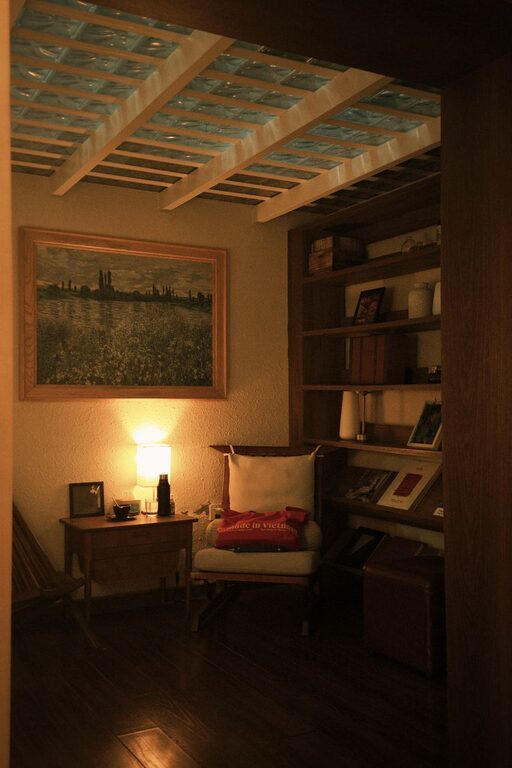

Creating a cozy and organized home workspace is essential for maintaining focus and comfort during your workday. Whether you work remotely full-time or simply need a quiet place to manage tasks, a well-designed workspace can boost productivity and reduce stress. In this post, we’ll explore practical tips to help you set up a home office that feels inviting and keeps clutter at bay.
Why a Cozy and Organized Workspace Matters
Your workspace influences how you feel and how effectively you work. A cozy environment can help you stay calm and motivated, while an organized setup prevents distractions and time wasted searching for supplies. Together, these elements create a foundation for successful workdays.
Choosing the Right Location
Consider Natural Light
Natural light can enhance mood and energy. Aim to position your workspace near a window to benefit from daylight. Avoid glare on your computer screen by placing your desk perpendicular to the window.
Assess Noise Levels
Choose a quiet spot where you’re less likely to be interrupted. If noise is unavoidable, noise-cancelling headphones or a white noise machine can help minimize distractions.
Utilize Available Space Wisely
Even a small corner can become a functional workspace with the right furniture and layout. Measure your space beforehand and pick furniture that fits without overcrowding.
Selecting Comfortable and Functional Furniture
Invest in an Ergonomic Chair
A supportive chair reduces strain on your back and neck, encouraging good posture throughout the day.
Choose a Suitable Desk
Select a desk with enough surface area for your computer, notepads, and other essentials. Adjustable desks that allow both sitting and standing positions are great for health and productivity.
Add Storage Solutions
Incorporate shelves, drawers, or storage bins to keep important items within reach and maintain a tidy desk surface.
Organizing Your Workspace
Declutter Regularly
Keep only what you need on your desk. Store papers, books, and supplies to reduce visual clutter, which can be distracting.
Use Organizers and Containers
Desk organizers, trays, and holders can keep pens, paper clips, and other small items neatly arranged.
Create a Filing System
Develop a simple filing method for papers—whether using physical folders or digital scanning—to keep documents accessible and organized.
Manage Cables
Bundle and hide cables using clips or sleeves to prevent tangles and maintain a clean look.
Adding Cozy Elements
Incorporate Personal Touches
Photos, artwork, or plants can make your workspace more inviting without overwhelming it.
Choose Calming Colors
Soft, neutral, or pastel colors can create a soothing atmosphere that helps reduce stress.
Use Soft Textiles
Add a cushion for your chair or a small throw blanket to increase comfort during long work sessions.
Adjust Lighting
Besides natural light, include a desk lamp with adjustable brightness. Warm light bulbs create a relaxing ambiance.
Maintaining Your Workspace
Set Daily or Weekly Cleaning Goals
Spend a few minutes each day or week tidying your space to prevent buildup of clutter and dust.
Review Your Setup
Periodically reassess your workspace arrangement to improve comfort and efficiency based on changing needs.
Establish Boundaries
Define clear work hours and respect your workspace to maintain a healthy work-life balance.
Conclusion
By carefully selecting your location, furniture, and organizing your tools, you can create a home workspace that feels both cozy and efficient. Personal touches and regular upkeep will keep this space a pleasant and productive place to work every day.
Try these tips and enjoy a workspace that supports your best work habits while making home office life comfortable and enjoyable.
About the Author